Freelancer Tax and Income Tracker 2026
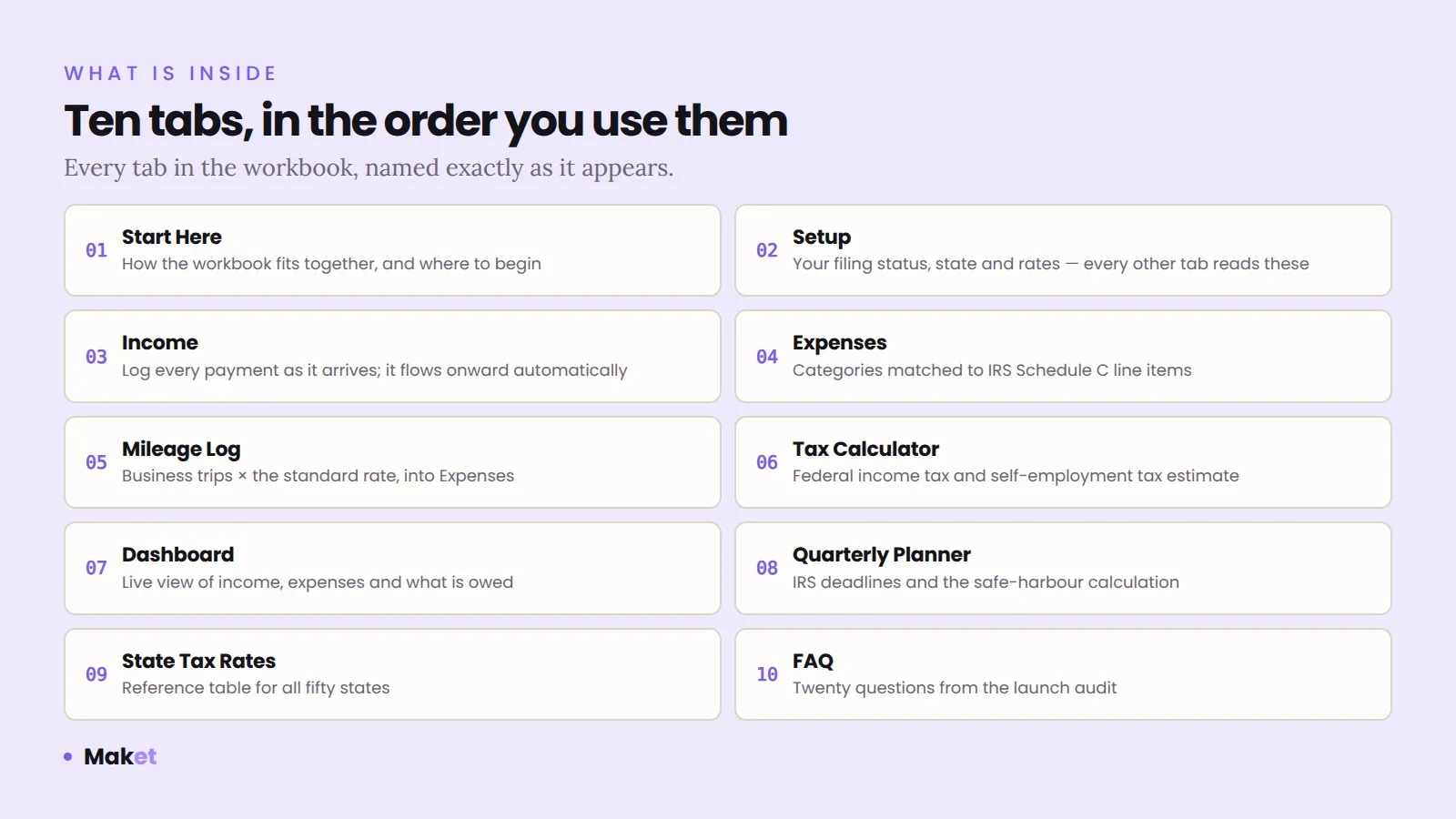
Ten tabs. 896 formulas. The arithmetic is already wired up.
Drop an .xlsx in. It reports the ten things that make a spreadsheet hard to trust — numbers typed into formulas, ranges that stopped growing, a cell somebody overwrote. Free, and the file never leaves this page.
Drop an .xlsx here, or click to choose one
Nothing is uploaded. Nothing is stored. There is no server behind this button.
The workbook is unzipped and read by your own browser, in this tab. If you want to prove that rather than take my word for it: load this page, turn off your Wi-Fi, and drop the file in. It still works.
What it looks for
A rate typed as 0.062 inside a formula has no address in any document. Nobody can check it without asking whoever typed it, and nobody notices when the published figure moves.
A SUM that ends at row 50 while the column holds data to row 57. The total is still a number, and it is still wrong.
Every cell in the column follows one pattern and one does not. That is what a formula typed over by hand looks like.
A hard number sitting where the column otherwise calculates. Usually a value pasted in during a month when the formula misbehaved, and never taken out.
A SUMIF whose text criterion appears nowhere in its range and nowhere in the column's validation list. The result is always zero, and it looks like a figure.
A labelled table of rates or thresholds that no formula in the workbook reads. If the calculation uses those figures, it uses a copy typed somewhere else.
A figure that depends on a workbook that is not this one, and stops agreeing with it the moment that file is renamed.
TODAY, OFFSET, INDIRECT. Figures that move on their own, or references that Excel's own tracing cannot follow.
#REF!, #N/A, #DIV/0! sitting in the file as it was last saved.
A merge changes what a range covers. It is the usual reason a total quietly stops matching.
What this is not
This reads your workbook. It does not read the document your figures are supposed to agree with, so it cannot tell you a figure is wrong — only that a figure has nowhere to be checked against. Proving numbers right is a different job, and it is described here in full.
If yours came back long
Rates in their own cells with a source beside them, ranges that grow with the data, no formula typed over by hand. One is on the shelf; the other is your own file, rebuilt.
Ten tabs. 896 formulas. The arithmetic is already wired up.
A calculation model from your source document, an audit of a workbook you have stopped trusting, or a monthly pack that lands in the same shape every time.
Questions
No. The file is read inside the page by your own browser. There is no server, no upload, no storage and no analytics on the file. Disconnect from the internet after the page loads and it still works — that is the simplest way to verify the claim.
Ten things that are facts about the file rather than opinions: cached error values, numbers written directly into formulas, ranges that stop above the last row of data, a formula that breaks the pattern of its column, a typed value sitting among formulas, a SUMIF or COUNTIF whose criterion matches nothing, a labelled block of constants that no formula reads, links to other workbooks, volatile and indirect functions, and merged cells on rows that hold formulas.
No, and the tool says so. It reads the workbook; it does not read the document your figures are supposed to agree with. A file can be free of every pattern here and still hold a rate that was never published anywhere. Proving figures right means reconciling them against a source, one line at a time.
Because it has no address. A rate written as 0.062 inside a formula cannot be traced to a page in a document, so nobody can check it without asking whoever typed it, and nobody notices when the published figure changes. A rate in its own cell, with a source noted beside it, can be checked by a stranger.
The .xlsx format, which is what Excel, Google Sheets, LibreOffice and Numbers all export. Older .xls files and .csv files hold no formulas in a readable form; open one in a spreadsheet program and save it as .xlsx first.
No. The CSV records what the tool found in the file. A reconciliation log records each figure against the document it came from, with page and edition date. This tool tells you where to look; the log is what proves the answer.
A file with forty hard-coded rates and three short ranges is not unusual and it is not a disaster — it is a file nobody has had time to reconcile. What to do with each finding is written up as a guide; the work itself is every figure checked against the document it came from, and the log handed over with the file. The payroll engine is what it looks like when it is finished.